
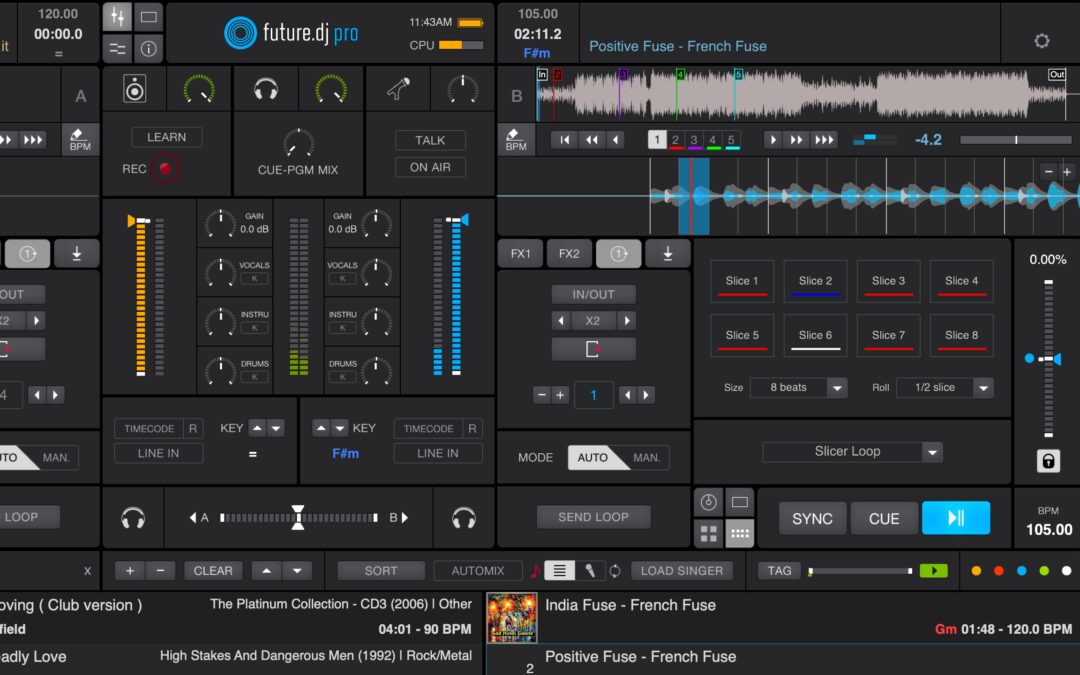
We're very pleased to announce future.dj pro 2.3, the biggest update we have ever made to future.dj pro. It changes how tracks are prepared, how they are mixed and scratched, how stems and effects sound, and it turns the karaoke side of the app into a complete tool for running a show.
What's New in future.dj pro 2.3
Track preparation. A new AI engine detects tempo, beats and downbeats, the meter and the phrases of every track. On top of it, future.dj pro 2.3 finds the structure of a song (intro, build, drop, break, outro, verse and chorus), sets hot cues automatically on tracks that have none, detects the musical key far more accurately, and rates every track for energy and mood. The new Next Picks list uses all of this to suggest what to play next, and tells you why each track fits.
Mixing and performance. future.dj pro 2.3 has a new time-stretch engine for key lock, more natural scratching with a physically modeled platter, DVS support for timecode vinyl and CDs, support for motorized-platter controllers, sync that can align by beat, bar or phrase, and tighter cues and loops. An optional best-quality model gives cleaner stems, four new Stem FX pads are available on every deck, and the effects have been rebuilt and now remember their settings.
Karaoke. With future.dj pro 2.3, karaoke hosts get saved shows, singer profiles with history and favorites, five rotation modes, live song requests from the singers' phones through KSR, synced lyrics with AI alignment, Karaoke Mode that removes the vocals from regular tracks, a singing pitch guide with a score, microphone effects with per-singer settings, two video output windows and support for more karaoke formats.
Reliability. Behind all this there are automatic backups, safer database saves, a data folder you can move to another drive, better handling of audio devices and a long list of fixes for the streaming services.
future.dj pro 2.3 runs on Windows 10 or newer (x64 and ARM64) and on macOS 12 or newer. You can download it from xylio.com. Before you update, back up your future.dj pro data and take some time to try the new version with your music, controller and audio hardware before your next event.
future.dj pro 2.3 Feature Highlights:
- AI beat, downbeat, meter and phrase detection
- Song-structure detection and automatic hot cues
- More accurate key detection, energy ratings from 1 to 10 and mood labels
- Next Picks: track suggestions for your next transition, with the reasons
- New time-stretch / pitch-shift engine for key lock
- More natural scratching, a modeled virtual platter, 45 RPM
- DVS: Serato, rekordbox, MixVibes and Traktor MK1 control records, Serato control CDs
- Hercules DJControl Inpulse T7, Rane Twelve MK1 / MK2, Numark NS7 / NS7II / NS7III / V7
- Best-quality stems and four Stem FX pads per deck
- Rebuilt effects, automatic microphone feedback suppression
- RGB waveforms and a much lighter display
- Synced lyrics (LRC, ID3, online lookup, AI alignment) and Karaoke Mode
- Karaoke shows, singer profiles, rotation modes, KSR requests, pitch guide and score, microphone effects
- Storage & Backup: automatic backups, recovery, movable data folder
Everything that changed in future.dj pro 2.3
Playback Engine and Audio Processing
- New time-stretch and pitch-shift engine for key lock and key shifting.
- The Time-stretch quality setting is gone: key lock always uses the new engine.
- Better sound while beatmatching, with cleaner bass and sharper kicks.
- Fixed warbling and brief detuning when nudging or bending the tempo down with key lock on.
- Key lock uses less CPU on both Windows and Mac.
- Loading and unloading tracks, hot cues, loop wraps and sync jumps are handled better by the audio engine, with fewer CPU spikes and dropouts.
- Fixed CPU spikes on the audio thread when loading a track on a stopped deck and pressing Play.
- A track keeps playing the original mix while its stems are being separated, so partly written stems are never heard.
- Added dropout and overload counters for the audio device; the audio load meter now shows true peaks.
- Fixed CPU spikes on Intel systems when effect tails decay to silence.
- Fixed crashes when an audio driver forces a buffer larger than about 100 ms.
- Audio recording counts and logs the blocks lost to a slow disk instead of dropping them silently.
- Files with a sample rate other than 44.1 kHz (48 kHz tracks, most videos) go through a high-quality resampling filter instead of linear interpolation.
Track Analysis, Song Structure and Automatic Cue Points
- New AI engine for tempo, beat and downbeat detection.
- Tempo sections are created only where the detected tempo really changes.
- Automatic 3/4 and 4/4 meter detection; the time signature is stored in the beat grid.
- Four- and eight-bar phrase detection, with a phrase anchor that lines the bar count up with the music.
- Song-structure detection: intros, builds, drops, main sections, breaks and outros, plus verse, chorus and bridge labels.
- Structure detection uses the stems when AIUnmixEQ is on and the original mix otherwise.
- Vocal sections are detected from the vocal stem, telling lead vocals from vocal textures.
- Structure and vocal sections are shown on the track overview, and the deck waveform has its own song-structure lane.
- Automatic hot cues from the detected structure, for tracks that have no hot cues.
- The automatic mix-in cue is placed 32 or 16 bars before the first main section.
- Existing hot cues are never changed.
- The detected mix-in and mix-out points are stored with each track.
- Automix uses the detected mix-out point unless you have set your own.
- Routine re-analysis keeps beat grids you edited by hand.
- New track-menu command Re-analyze the whole library (BPM, beat grid, meter, key). It can overwrite edited grids, after a confirmation.
- Tracks store the version of the analysis that made them. Old analysis is refreshed at load or in the background, keeping your cues and edited grids.
- The analysis models are loaded and warmed up once at startup, so the first analysis is as fast as the next ones.
Musical Key, Energy and Mood
- A more accurate key detection engine: correct keys went from 37% to 62% on a standard test set.
- Key analysis also reports the tuning and a confidence.
- The Detect Musical Key setting is gone: the key is always detected.
- Keys are shown in Camelot notation with the Camelot wheel colors by default. Existing users are switched once; whatever notation you choose afterwards is kept.
- Energy ratings from 1 to 10, read from Mixed In Key or Lexicon tags when present, otherwise computed and calibrated against Mixed In Key labels.
- AI mood analysis: valence, arousal and labels such as Happy or Calm.
- New Energy and Mood columns in the browser, added automatically to saved column layouts.
- Energy and mood can be shown in the modern track rows, before the key, duration and BPM (Show energy and mood in rows, on by default).
- An energy curve per track; skins can show it as an optional strip on the position slider (off by default).
Next Picks
- future.dj pro 2.3 has a new special list, Next Picks, above History.
- Suggestions are ranked against the track on the master deck.
- The ranking looks at key compatibility (including possible key shifts), tempo (including half and double time), genre, energy, mood, similar sound, freshness, rating and the room available for the mix.
- Presets: Mixable, Same key, Same tempo, Fresh, Lift, Cool down and Similar sound.
- Options to include half / double tempo matches, to hide played tracks and to search the whole collection or only the last browsed list.
- Every suggestion shows why it was chosen, for example “same key, mix room 32 bars”.
- Find similar tracks (Next Picks) in the track context menu.
Stems and AIUnmixEQ
- Best quality stems: an improved separation model with cleaner vocals and instruments. Off by default; processing takes about 3 times longer.
- Fixed the Windows performance-GPU problems with the high-quality AIUnmixEQ setting.
- AIUnmixEQ is on by default for new installations on computers with 7 GB of RAM or more. Saved preferences win, and stems can still be switched on below that threshold.
- Stem gain changes from pads and AIUnmixEQ knobs ramp over 10 ms: no more clicks.
- Momentary stem pads give back the exact previous gain when released.
- The EQ knobs control stems only when the loaded track has stems. Tracks without stems (longer than 15 minutes, or from services that do not allow separation) use the normal EQ.
- Stem gains are no longer carried over from the previous track.
- Fixed pads 9–16 triggering actions of the next pad mode in the eight-pad Roll, Slicer, Stems and Sampler modes.
- On Windows, CPU stem separation leaves two processor cores free for playback.
Stem FX, Mixer and Effects
- future.dj pro 2.3 adds four hold-down Stem FX pads on every deck, made for controllers: Vocal echo, Drums echo, Instrumental echo and Instrumental brake.
- Rebuilt filter, echo, flanger / phaser, reverb, bit crusher and gate: cleaner sound, locked to the beat.
- The bit crusher is now called Lo-fi.
- The effects selected on the X-Y pad and in both effect slots, and each effect's parameters, are remembered after a restart.
- Pioneer DDJ and Hercules Inpulse controllers no longer replace the selected effects at startup.
- Fader, crossfader, trim and EQ changes ramp on the audio thread, removing the occasional click.
- A faster three-band EQ, with band gains that ramp evenly on both channels.
- Fixed the right channel playing a burst of old audio when the flanger or reverb is switched on again.
- The master VU meters are read without disturbing the audio thread.
- Automatic feedback suppression for the On Air microphone: up to 12 narrow notch filters, placed where feedback starts and released when no longer needed. On by default, on the Audio settings page.
Scratching and Vinyl Feel
- More accurate and more precise jog-wheel scratching.
- Better mouse scratching on the on-screen platter: it no longer stops short of where the mouse is released, and slow drags are smooth.
- Jog wheel response in the Control preferences: Direct, Tight, Normal (default) and Smooth.
- Scratch sound options: CDJ (constant level and tone), Turntable (level and tone follow the platter speed, as on a real turntable; the default) and Hybrid.
- A physically modeled virtual platter, with motor torque and braking for starts and stops.
- New deck actions: brake, power-off coast and backspin.
- A platter thrown with the mouse keeps spinning and slows down as under a slipmat.
- Releasing the platter of a playing deck picks the record up again naturally.
- 45 RPM platters (33⅓ RPM when the preference is off).
DVS, Timecode and Controller Support
- future.dj pro 2.3 adds DVS support for Serato, rekordbox, MixVibes and Traktor MK1 control records, and for Serato control CDs.
- The MsPinky timecode formats were removed.
- A Timecode preferences page with phono-level input and gain.
- Absolute, Smart and Relative timecode modes.
- Record lead-in support.
- Playback continues internally at normal speed after the end of the control record.
- The on-screen platter follows the real record while locked to the timecode.
- No calibration step is needed.
- Motorized platters (Hercules T7, Rane Twelve, Numark NS7) drive the deck like a control record.
- New controller scripts: Numark NS7, NS7II, NS7III, V7 and Rane Twelve MK1.
- New controllers: Hercules DJControl Inpulse T7 and Rane Twelve MK2.
- Key lock works with the supported motorized platters and with timecode vinyl.
- A Karaoke Mode notification lights the matching skin button and controller pad.
Sync, Loops, Cues and Quantize
- Sync can align the phase with a short tempo bend instead of a jump in position (on by default).
- Beat, Bar and Phrase sync-phase modes in the Deck settings, next to sync-lock. Bar is the default.
- Sync falls back to beat alignment when the position of bar one is uncertain.
- Key sync clears old key shifts when the decks are already compatible.
- Strict key sync shifts by at most two semitones instead of up to six.
- Phrase skip uses the detected phrase length instead of a fixed four bars.
- Hot-cue button hints show the cue name.
- Quantized cues and loops land exactly on the beat instead of slipping by a beat now and then.
- Roll snapping now behaves like Serato's.
- Saved loops can again be moved, halved and doubled.
- A manual loop-out at exactly four beats no longer makes an eight-beat loop.
- Seeking outside an active loop ends the loop cleanly.
- When an Automix list ends, the last track plays to its end instead of the last two tracks alternating forever.
- The Automix fade time no longer depends on the frame rate.
Waveforms and Display
- RGB coloring for the deck waveform and the whole-track overview.
- Preferences > General > Waveform colors: As in the skin, Layers or RGB.
- The position-slider overview shows the same low / high layers as the deck waveform.
- Waveforms, cue markers, lyrics, jog-wheel displays and video are compensated for the latency of the audio device, so they show what you hear.
- Smoother scrolling, no longer limited to whole pixels.
- Beat and downbeat lines keep their own colors.
- Fixed bar lines wobbling by one pixel while scrolling on non-Retina displays.
- Hints, menus and lyrics are drawn above the waveform lines.
- Fixed dark fringes around soft text edges.
- With nothing playing or moving the window redraws at about 15 fps, and rendering stops while the window is minimized or hidden (a selected shader visual keeps the full frame rate).
- Idle CPU usage went from about 16% to 2%.
- The render thread uses less than half the CPU when lyrics and a visual are on.
Synced Lyrics
- future.dj pro 2.3 shows synced lyrics from .lrc files stored next to the tracks.
- Lyrics from ID3 SYLT and USLT tags, including the older iTunes-style line breaks.
- Optional online lookup through LRCLIB.
- AI alignment of plain, unsynced lyrics to the vocal stem when a track is loaded on a deck (needs AIUnmixEQ).
- Lyrics that do not match the recording are rejected and remembered as “not found”.
- Lyrics are shown on the video output, when no video or CDG graphics are playing, and along the deck waveform.
- A timing offset per track.
- A Lyrics submenu in the context menu: look up, re-align, adjust the timing, show the file, remove the lyrics, export an .lrc file next to the track (an existing lyrics file is not overwritten).
- A marker in the library for tracks with lyrics, and the #lyrics search term.
- The Karaoke preferences are split in two tabs: Karaoke (singers, filler music, ticker, rotation) and Lyrics (Karaoke Mode and lyric options).
Karaoke Mode and Help for the Singer
- Karaoke Mode: removes the lead vocal of a regular track through the AI stems, with key lock still on. Per deck; toggled from Stems pad 9, the track context menu or a controller (deckKaraoke). It switches on by itself when a singer's regular track is loaded from the rotation.
- Guide vocals: remove the vocals completely or keep them at −18, −12 or −6 dB.
- Lyrics follow the deck: in Karaoke Mode the lyrics overlay follows the playing deck even when Show on video is off.
- Singing pitch guide: with AIUnmixEQ on, the target notes from the vocal stem are shown next to the singer's live pitch.
- Score: a score and stars after the performance, with a choice of difficulty, pitch display and latency compensation.
- Vocal range and Key for you: test and save a singer's comfortable range, see the range of a song, and get a key suggestion for songs whose range is known.
- Count-in and Get ready: four count-in dots before the lyrics and after long breaks, and a Get ready card for songs that start at once when auto-advance is on.
Karaoke Shows
- Named shows: create shows with venue details and notes; save, reopen, rename and edit them, keeping the current singers or starting with an empty rotation.
- Automatic show saving: the rotation and every performance are saved as the night goes. Close the app and continue where you stopped, or start another show and keep the previous one.
- End-of-show reports: text or CSV reports with singers, songs, key and tempo settings, times, durations and playback status.
- Auto-advance: a countdown on deck 1, then the next singer's song is loaded and played. Load next singer skips the countdown.
- Filler music and ducking: local or streaming tracks between singers, lowered by an adjustable amount while the microphone is On Air.
- Show controls: a session timer with a warning near the end, “sung tonight” marks, and a password on the Preferences and on the karaoke management menus.
- Where to find it: right-click in the Singers List and open the Karaoke menu: Shows, Singer, Rotation and Requests.
Singer Profiles and Rotation Rules
- Singer profiles: stage name, contact details, notes, vocal range, totals and what was sung last.
- History and favorites: see past performances and the most-sung songs, and queue one again with the singer's saved key and tempo.
- Singer database: search returning singers, merge duplicate profiles and their histories, ban or unban a singer with an optional reason.
- Five placement modes: a new singer goes at the bottom, after the last singer added, after the current singer, after a full round, or after the singers already announced on screen.
- Limits: a maximum number of queued songs and a total singing time per singer for the night (or no limit).
- Repeats and names: allow or refuse repeated songs, approve repeated remote requests, choose what happens with two singers of the same name.
- On break: skip a singer who stepped away without losing their place, or move them to the bottom.
- Queue management: remove single singers or clear the rotation while keeping the show's history.
- Wait times and tonight's numbers: estimated waits, songs sung and minutes on stage, with an adjustable threshold for counting a song as sung.
- Key and tempo per song: each singer's key and tempo (−50% to +50%) are set per song and kept in the singer's history.
KSR Requests and Audience Screens
- Requests from the phone: singers browse your online songbook, join and request songs from their phones through KSR (Karaoke Song Request).
- QR code and join link: a QR code is shown while KSR is connected; the join link can be shared or customized, and the code hides during music videos.
- Automatic songbook upload: your songbook on the KSR server is kept up to date by itself.
- Live requests: requests arrive at once, without waiting for the next check.
- Singer displays: show the venue, the show name, wait times, up to five next singers or the whole rotation on several pages. A names-only display keeps the song choices hidden.
- Tickers: current and next singer, number of singers waiting, show details and the request link can be put in the scrolling messages.
- Two video output windows: the same output on two TVs or projectors, each window placed on its own, full screen remembered.
Karaoke Formats
- CDG graphics with audio other than MP3: WAV, FLAC, OGG, M4A, AAC, WMA and AIFF, in folders or ZIP files.
- KaraFun KFN files (very old KaraFun files are not supported).
- KAR / MIDI karaoke, with the built-in sounds or your own SF2 SoundFont.
- Multiplex files: choose the channel that carries the guide vocal.
- Karaoke videos with a separate vocal track: switch between the vocal and the instrumental audio.
- Enhanced CDG picture: pixel-art scaling, drop shadows and gradients on the text.
- Fixed the startup crash caused by the September 29, 2026 change of the Party Tyme catalog format.
- Fixed Load next singer crashing with an empty rotation list.
- Fixed stale check marks in menus, including the Karaoke Mode item.
Microphone
- Reverb and echo presets: Studio, Plate, Hall, Arena, Karaoke echo, Slapback and Long echo, with an amount you can change during the show.
- Live pitch correction: adjustable strength and speed, saved per singer.
- Harmonies: up to two harmony voices in the key of the song, with their own level.
- Per-singer settings: a singer's effects, level, low / mid / high EQ, pitch correction and harmony come back with them; the normal mixer settings can be restored.
- Feedback suppression: automatic, on by default.
- 48 kHz fix: no more microphone crackling on audio devices running at 48 kHz.
Library and Playlists
- The database is saved automatically every five minutes when something changed, for libraries under 100,000 tracks. The karaoke rotation is saved with it.
- The database is written to a temporary file that replaces the old one only when the save is complete: no more half-written libraries.
- A damaged database found at startup can be replaced with a backup.
- A database save that fails at exit is reported.
- Quitting during startup no longer overwrites the library with an empty database.
- Fixed the hang when searching right after the application opens.
- Track numbers and years sort as numbers.
- Fixed BPM-only filters rejecting every track and year-end-only filters letting every track through.
- M3U import handles Windows line endings, byte-order marks, very long lines, a missing final line break, relative paths and non-ASCII paths.
- .m3u8 import.
- M3U export writes a proper #EXTM3U header with durations and titles.
- M3U and CSV export from the browser context menu exports the playlist you right-clicked, not the list on screen.
- Remove dead files no longer removes streaming tracks or downloaded offline tracks.
- Adding files or folders adds only the tracks that are not already in the list.
- The tag editor writes back only the fields you edited.
- Fixed Toggle offline and Filter history by date being enabled for the wrong context-menu items.
- Cloud tracks that were browsed but never used are no longer stored in the library file.
- The order inside the library file stays the same between saves.
- Apple Music playlists on the Mac are read in the background, so large playlists no longer freeze the interface.
- Ctrl+V (Windows) and Cmd+V (Mac) paste into the application's text fields.
Storage and Backups
- New Storage & Backup preferences tab.
- The whole data folder (settings, database, skins, recordings, karaoke stores) can be moved to another folder or drive, an external one included. The move happens when the application exits.
- Database paths are rewritten when the data folder is found in a new place, for example after a drive letter change or a renamed network share.
- Automatic backups of the Database, Settings, Shaders and Overlays folders at exit.
- Kept: the previous run and the newest backups of the last day, week and month, seven at most.
- Backups can be restored from the Storage & Backup preferences.
- Recovery options for damaged database files.
Streaming Services
- KSR login tokens are refreshed before they expire, so nothing stalls on them during a show.
- A refused token refresh logs the service out cleanly instead of leaving it shown as connected while requests fail.
- Fixed refresh tokens being lost.
- Streaming tracks work in the Preview player.
- Streaming tracks work in the Filler / background music player; they are downloaded and buffered 30 seconds before the mix starts.
Audio Devices
- Fixed the playback speed and the buffer glitches on audio devices running at a rate other than 44.1 kHz (playback was about 0.34% too fast).
- Device-rate conversion uses a high-quality filter on Mac CoreAudio and Windows ASIO.
- Fixed Windows ASIO microphone and timecode inputs running at the wrong speed on devices at rates other than 44.1 kHz.
- Fixed several CoreAudio crashes and buffer overruns.
- Audio interfaces plugged in or unplugged are noticed while the application runs, and the saved device comes back by itself when it is available again.
- Better ASIO startup and recovery after a buffer-size change in the driver panel, after an interface is disconnected, and with long driver names.
Visuals and Video
- ShaderToy visuals are back: paste the shader code or open a local .frag, .glsl or .txt file. Pasting is the default; the URL option stays, but ShaderToy API requests may be rate-limited or blocked.
- A shader that fails to convert shows a clear error instead of silently saving an empty shader.
- On the Mac, shaders run natively on Metal, with OpenGL as a fallback, and the shader converter is universal: no Rosetta needed on Apple Silicon.
- The Windows shader converter is a current 64-bit build and is in the installer again.
- HD videos are shown with the correct BT.709 colors.
- Partly updated video frames are no longer shown.
- Video recording captures complete frames on the Mac and no longer stalls playback on Windows.
- On the Mac, a video-output window on a second display is paced by that display.
Other
- Many crash fixes, a clean shutdown and safer handling of disconnected devices.
- More fixes and optimizations all over the application.
Thank you to everyone who tested the betas and sent us reports. You can download future.dj pro 2.3 for Windows and Mac from xylio.com.